Header
Open the version of the site you need.
Use custom request headers to force A/B test variants, open specific site versions and test header-controlled experiences while you develop.
Header
Use custom request headers to force A/B test variants, open specific site versions and test header-controlled experiences while you develop.
During development, you may need to force a particular A/B test variant, open a specific version of a site or reproduce an experience controlled by request headers.
That can mean repeatedly changing application code, configuring a proxy or manually adjusting browser settings.
Header lets you save those configurations and switch them on when you need them.
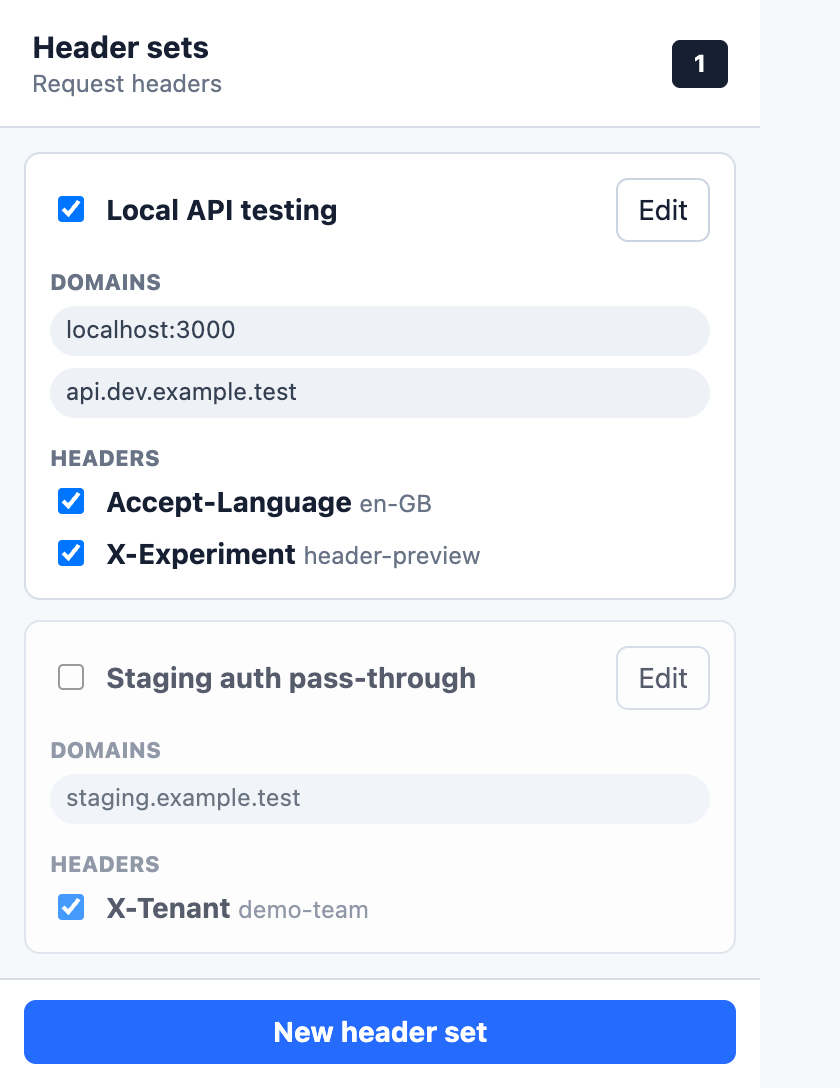
Create a Header Set containing the domains and request headers needed for a particular testing scenario.
Header automatically applies those values to matching requests. Switch a complete Header Set, or an individual header, on and off from your browser toolbar.
Give the set a useful name and add the request headers needed for the scenario you want to test.
Target exact domains, wildcard subdomains, pasted URLs or localhost ports.
Header applies the configuration automatically to matching HTTP and HTTPS requests.
Enable or disable a whole Header Set, or an individual header, without changing the application or setting up a proxy.
Keep related domains and headers together for experiments, environments, clients and debugging tasks.
Apply headers to exact hosts, wildcard subdomains, pasted URLs and localhost ports without writing regular expressions.
Turn complete Header Sets or individual headers on and off while you work.
Apply configured headers to matching page loads and supporting resource requests.
Your Header Sets are stored in your browser's local extension storage.
Header does not:
Header needs permission to modify requests for the domains you configure. This allows it to apply your Header Sets to matching pages and supporting resources.
Header only applies the rules you create to the domain patterns you configure.
Some headers managed directly by the browser may not be changeable.
Header is currently available as a manual Chrome extension download while browser-store distribution is being prepared.
Report a problem, ask a question or share feedback about Header.